


In this article:
- Section 1 with long heading text
- Section 2 with long heading text falling on to two lines
- Section 3 with long heading text
- Section 4 with long heading text falling on to two lines
Share this article


As dental practitioners operating within NHS practices in Scotland, you are aware of the vital role that NHS claims play in maintaining the financial health of your practice. Managing these claims efficiently is essential, not only to ensure that your practice receives the income it deserves but also to streamline the allocation of earnings to the right individuals.
Enter the Daybook report, Your trusted ally in all things NHS!
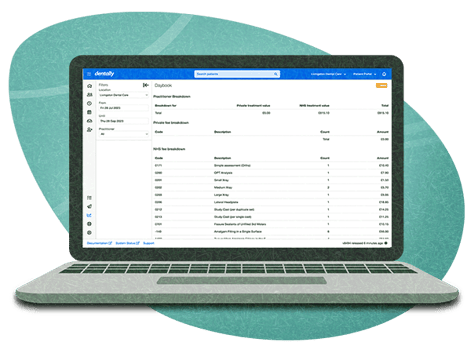
This report is specifically designed for NHS Scotland dental practices using Dentally, and empowers you to take charge of your NHS income within a defined date range. So, why should you make the Daybook report a crucial part of your practice management?
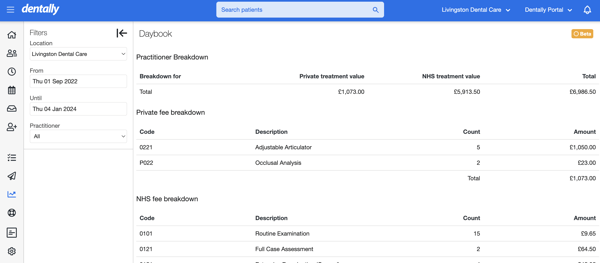
- Effortless Income Tracking: With the Daybook report, you gain a comprehensive overview of each practitioner's earnings, ensuring that you know who has earned what and precisely when it was earned. It is the ideal way for Scottish NHS and Mixed practices to pay their associates.
- Clear Breakdown of Treatment Fees: The Daybook report goes the extra mile by providing a clear breakdown of both private and NHS treatment fees and values, which can also be broken down by individual providers or locations for more detailed reporting.
Utilising the Daybook
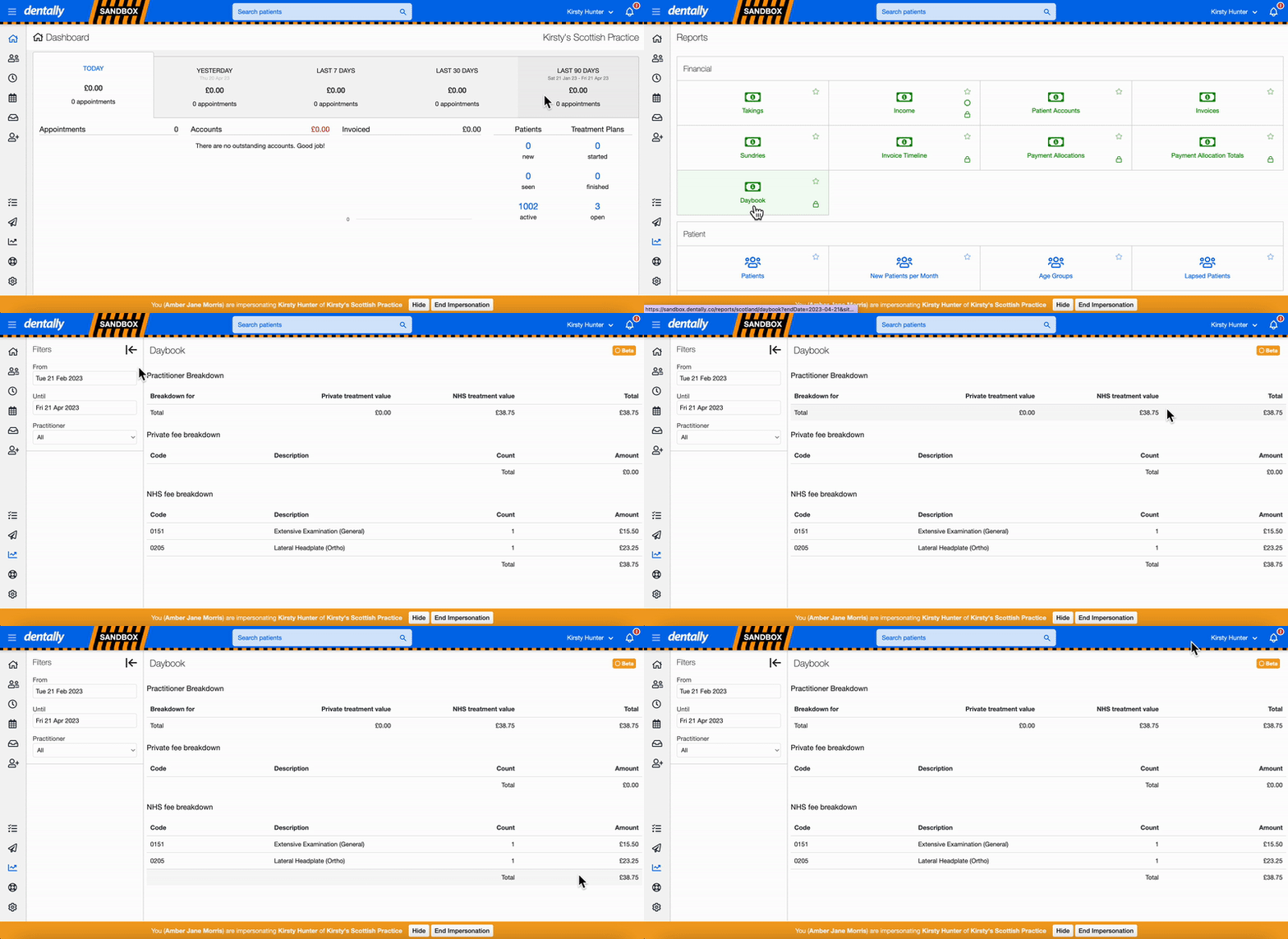
Thanks to Dentally's user-friendly interface, using the Daybook report is a breeze. Let’s take a look at the steps to running the report:
- Access the Reports Icon: Start by locating the Reports icon on the left toolbar within Dentally.
- Select the Daybook Report: Scroll down and choose the Daybook report from the available options.
- Set Your Filters: Customise your report by choosing the time frame you wish to review and selecting the specific practitioner you want to report on.
- Live Reporting: The report will refresh in real time based on the filters you set, providing you with the most up-to-date information at your fingertips.
- Delve Deeper: Under your initial practitioner breakdown, you will see an NHS and Private breakdown of all the treatment items charted in that time frame and the total money they have bought into the practice.
If you want to report more on specific treatment items, you can do so using the practitioner activity report. This unique report is designed to help make your lives easier when it comes to tracking treatment and paying associates. You can discover more about these reports over on our help centre here.
Should you still need further help understanding the Daybook report, don't hesitate to get in touch with our support team via Live Chat in Dentally.
Connect with us on social media
We'd love for you to join our online community. Stay up-to-date with our latest news, events, and content by following us on our social channels. We look forward to seeing you there!


