


In this article:
- Section 1 with long heading text
- Section 2 with long heading text falling on to two lines
- Section 3 with long heading text
- Section 4 with long heading text falling on to two lines
Share this article



If you are weighing cloud software against the server in the back room, security is usually the thing that decides it. The short answer is yes, cloud dental software is secure in the parts a maintained platform controls. The rest comes down to four things your practice sets: who has a login, what each person can reach, when and from where they can use it, and which device they work on.
That split has a name. The Australian Signals Directorate (ASD) sets out how responsibility for cloud security is actually shared: the provider secures the infrastructure, and the rest is yours.
It is a shorter list than most practices expect, and there is no server on it to patch. Most of this page is about those four controls, because they are the ones you operate.
See how the controls work for your practice.
Key takeaways
- Health service providers notified 128 data breaches in the six months to December 2025, more than any sector
- Already-compromised logins were the most common way in where attackers encrypted an organisation's data, ASD found
- An authenticator app beats a code sent by text: the app's code never travels
- Dentally's audit trail records who created, updated, or deleted a record, not who viewed it
- Remove a leaver's access rather than deleting the account, so their history survives
- The legal duty for patient data stays with your practice, whatever software runs underneath
Jump to remote access or the server question. Breach counts here come from the Office of the Australian Information Commissioner (OAIC), in its own July to December 2025 breach data, current as of August 2026.
How cloud security actually works
Cloud security is a division of labour, and knowing where the line falls is most of the reassurance.
ASD puts it plainly: the provider is responsible for cloud services that are securely designed, set up, and operated, and the customer always keeps some responsibilities. In practice the line falls in the same place every time.
The platform's side is the work you cannot do from the front desk anyway: the infrastructure, the patching, the backups and restore testing, and encryption of the records at rest and in transit.
Your side is four controls, and only four:
- Who has a login, and whether each account has a second login step
- What each person can reach once they are in, set by their permission level
- When and from where an account can be used
- The device each person works on
Every one of those is a setting a practice can operate itself. None of them needs an IT provider, a server administrator, or anyone on call. If nobody in your practice does IT, that is the list you are responsible for, and it is short on purpose.
That is also the answer to the worry underneath the question. Moving to the cloud does not hand over control of patient data. You keep the accountability, and you keep every control that decides who sees a record. What you hand over is the maintenance: the patching, the backups, and the restore drill nobody had tested.
ASD's three starting measures for a small business line up with that split exactly: turn on multi-factor authentication, update your software, back up your information. A maintained platform takes the second and third without anyone in the practice thinking about it, and hands you the tooling for the first.
Why a second login step matters for your practice
Multi-factor authentication asks for two or more proofs of identity before it lets anyone in. That is how the Australian Signals Directorate explains multi-factor authentication: a criminal might steal one proof, your password, and still lack the others.
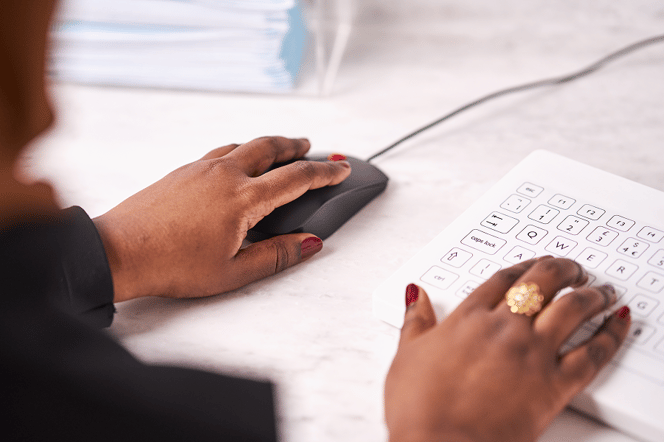
A receptionist's password gets phished, or bought from a credential dump ASD says criminals trade routinely. With only a password on that account, the login opens your whole patient list. A second proof closes it.
Dentally offers three ways to do the second step, and you choose:
- Authenticator app: the code is generated on the phone and never travels
- Text message: the code crosses a network ASD says gives no end-to-end security, so it can be intercepted
- Email: only as safe as the mailbox it lands in
ASD's advice on text-message codes versus an authenticator app calls text and voice the weaker implementations, and its preference runs further still, to passkeys and security keys.
Setting up two-factor authentication in Dentally
MFA setup happens per user, not across the practice, so check every account has it. Dentally's own line is that every user should, and only the practice owner can switch it off. The Australian Dental Association's own guidance on information privacy and security already asks members to use MFA. The Help Centre carries the steps.
Remote access security for dental practices
Plenty of practices have someone working from home a day a week, often on their own laptop. That is the scenario most practices worry about, and remote access security is the plain answer.
Start with who can log in, and when. A login can be restricted to particular days and times, so an account with no business being used at 11pm on a Sunday isn't. It can also be restricted to approved IP addresses. Be straight about that one though: home broadband addresses move, so IP restriction locks access to the practice's own premises rather than solving home working. What travels with the person is the second login step, the permission level, and the device.
What gets recorded is narrower than a monitoring dashboard, and more useful. The patient audit trail attributes a change to a named person: what was created, updated, or deleted, when, and the value before it changed. Nothing in it says who looked.
The fourth control, the device, is the part no platform reaches. The OAIC's guide to securing personal information asks whether you have a policy for staff working offsite, and what secures their access. ASD published a case where work credentials synced to an employee's personal account and were later lifted from the browser on their own device, and its guidance on securing customer personal data puts the device on the business.
Encryption and permission levels
Two things protect the records themselves: encryption, and who can reach them.
Encryption works in two states: at rest, on the disks where data sits, and in transit, while it moves between your practice and the platform. Neither authority oversells it. ASD says encryption is not guaranteed to prevent data breaches, and under the Australian Privacy Principles (APPs) the APP 11 guidelines name it as one technical measure among several. Worth remembering when a spreadsheet export is sitting on the front desk computer.
Permission levels are the other half, and more concrete than they sound. A practitioner on Permission Level 2 can have the diary without the ability to create, edit, or cancel appointments. Tick 'Can't amend appointments' and the view stays while the control goes. ASD's point is that access control still helps after a login has been stolen, so permissions and the second login step work together. There is more in the security controls built into Dentally.
What cloud security protocols actually cover
When a practice asks about cloud security protocols, the real question underneath is what has to be true for this to be safe. A protocol list wouldn't answer it. The Australian answer is the Essential Eight, ASD's baseline mitigation strategies. Of the eight, two are patching, one is multi-factor authentication, one is restricting privileges, and one is regular backups. Encryption is not among them, which is worth knowing if you have been told encryption settles the question. ASD attaches its own limit on the Essential Eight page: no set of mitigation strategies is guaranteed to protect against all cyber threats.
Why a maintained cloud platform is safer than an unpatched server

Start where the evidence is strongest. ASD's Annual Cyber Threat Report 2024-25 looked at incidents that ended with an organisation locked out of its own records. The most common way in was already-compromised credentials used against legitimate external-facing services: stolen logins and remote access, in one government sentence.
Patching is second, and where an unpatched server earns the adjective. Two of the Essential Eight are patching, publicly reported vulnerabilities rose 28 per cent in FY2024-25, and ASD says end-of-life software on a network raises both the likelihood of an incident and its impact.
Backups third. Inadequate backups are a loss of personal information under APP 11.22, and both authorities ask the same awkward question: has anyone tested a restore? ASD adds that a backup on the same network gets encrypted with it.
Then the box itself. ASD lists servers first among the things that get sold, lost, or stolen, and privacy law treats losing computer equipment as losing personal information. Keep the scale honest: theft or loss of paperwork or a storage device was 42 of 670 notifications in the OAIC's own July to December 2025 breach data, and that category bundles paper in with hardware. The point is that fewer things in the practice hold the records. For the fuller architecture comparison there is the guide comparing on-premise and cloud dental software.
No server to steal. No restore drill. No patch weekend.
Do you still need a VPN with cloud dental software?
A virtual private network (VPN) exists to create a private path into a private network. If your records sit on a server at the practice and people reach it from outside, that job is real.
Once the records sit on a maintained platform reached through a browser, the VPN is no longer what stands between an outsider and your patient list. A valid login is, and the permission level behind it sets how far that login reaches. ASD makes the sharper point that attackers go after remote access credentials, VPN credentials included, because that access hides them. If the practice still runs a server of its own reachable from outside, the VPN question is still live and worth resolving before it becomes the weak point.
What stays your responsibility?
Cloud takes the infrastructure off your hands. The legal duty stays with the practice, which is exactly why the four controls above stay with you too.
APP 11 follows patient information into the cloud because your practice still holds it, and ASD tells small businesses they cannot outsource that risk to a provider. The ADA's policy on dental informatics and digital health, approved October 2025, makes the dentist professionally responsible for records. The full set of data security and privacy obligations for Australian practices runs wider than one page.
Cost comes up. The OAIC weighs what a measure costs when assessing whether your steps were reasonable, and says plainly that cost and inconvenience are not on their own an excuse. For a small practice the better question is the one ASD puts to a provider: what security is built in at no extra cost.
Book a walkthrough of Dentally's security controls.
Frequently asked questions
Which type of two-factor authentication is safest for a dental practice?
An authenticator app, of the options most systems offer today: the code is generated on the phone and never crosses a network, so it cannot be intercepted. One gotcha. Ticking the remember this device box on a shared front-desk computer turns two factors back into one.
What does remote access security actually involve for a dental practice?
Controlling who can log in, from where, and what they reach once inside, rather than a list of network protocols. A login can be limited to particular days and times as well as to approved IP addresses, and the user's own record shows which restrictions apply.
How does secure remote login actually work?
A verified identity, a permission level that limits what the session reaches, and a record of what it changed. If you need to establish who logged in, when, and from where, our support team can produce that on request for a specific reason, such as investigating unauthorised access. It is not a routine report.
What happens to a staff member's account when they leave the practice?
Don't delete it. Set it to no access instead, so their login stops working immediately and their history survives. The audit trail on a patient record has to outlive whoever made the changes, and Australian privacy guidance asks how quickly access is revoked when someone leaves or changes role.
Still deciding? The security page goes further on the technical detail. Already on Dentally? The two jobs worth doing this week are checking every user has a second login step, and reviewing what each permission level can reach.
Connect with us on social media
We'd love for you to join our online community. Stay up-to-date with our latest news, events, and content by following us on our social channels. We look forward to seeing you there!


