



In this article:
- Section 1 with long heading text
- Section 2 with long heading text falling on to two lines
- Section 3 with long heading text
- Section 4 with long heading text falling on to two lines
Share this article


We think typing the same clinical notes into your dental software over and over again can be a bit frustrating. So we fixed that with Template Notes.
Check it out:
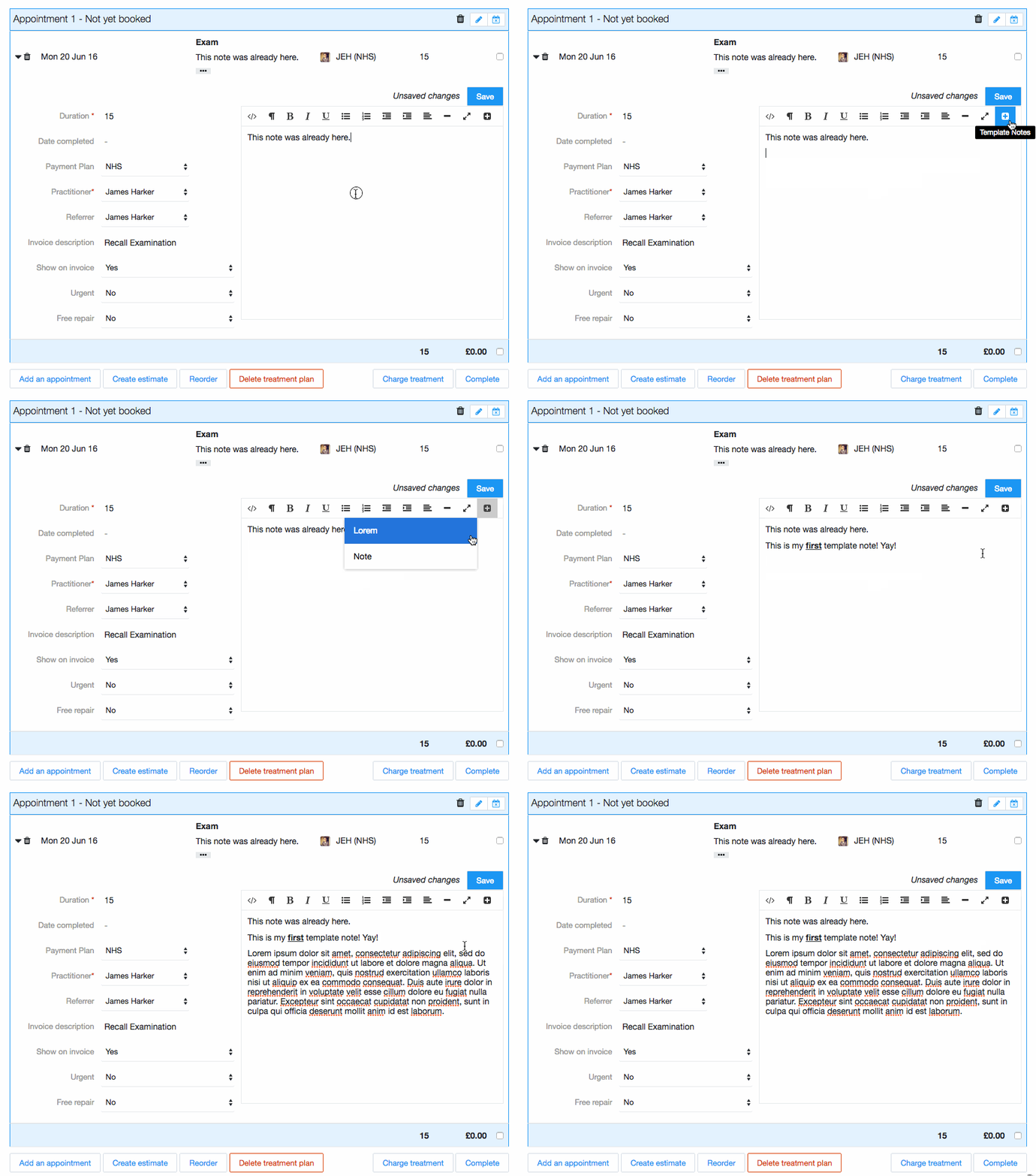
Template Notes allow you to quickly insert snippets of text into any clinical note. You can either select the snippet you want from a dropdown list or give your snippet a shortcut. Every time you type the shortcut followed by a space, the note will automatically be added for you.
Any administrator at your practice can add template notes. Simply go to Settings , Templates and then select Notes to get started.
Connect with us on social media
We'd love for you to join our online community. Stay up-to-date with our latest news, events, and content by following us on our social channels. We look forward to seeing you there!


