



In this article:
- Section 1 with long heading text
- Section 2 with long heading text falling on to two lines
- Section 3 with long heading text
- Section 4 with long heading text falling on to two lines
Share this article


Dentally is delighted to announce new contactless reception features including online medical history and self check in, that has been integrated into the software to support dental practices with social distancing and covid-19 guidelines.
Medical history
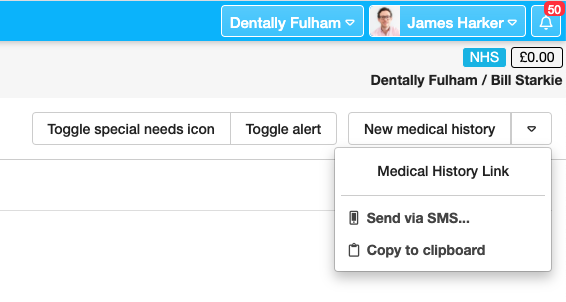
As part of a contact less reception process patients will need to complete a medical history. Online medical histories allow patients to complete their medical history themselves via a unique link. You can send the link to the patient as shown below or automatically include it in your existing appointment reminders.
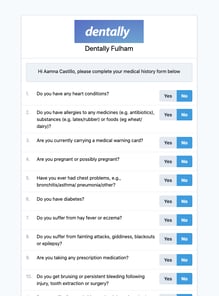
Once the patient has completed the questions, they click to sign it and save as they would if they were using the iPad app.
The medical history that is used is pulled straight from the dental practice's medical history questions that you have already set up and use within Dentally.
As soon as the medical history has been completed it will appear in the patient's record in Dentally - and will show as being completed by the patient. The dental practitioner can then review the medical history as they would normally and click to say they have done so.
Self check in
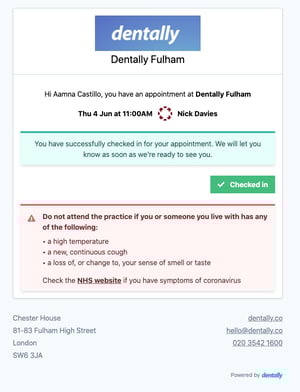 The self check in features allows you to send an SMS for patients arriving at the practice just prior to their appointment time at the practice. The patient can click on this link and check themselves in as they arrive on site, this will change their status in Dentally to ‘Arrived’
It is simple to set up for your dental practice, you just need to use a new data tag [appointment_check_in_link] in a default set SMS. When the patient clicks on the link, it will take them to a page that allows them to check in 30 minutes prior to their appointment.
If they click on the link before the 30 minutes, then the page will display a message to advise them that check is not yet open. This prevents anyone from checking in too early.
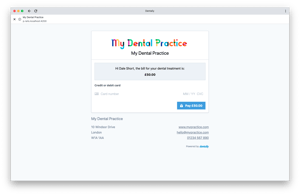 This new self check in and online medical history features within Dentally, links seamlessly to our another new feature, payment links. Learn more here. By using these new features, it will help you limit the number of staff members the patient has to come into contact during their visit for dental care, but helps you retain a seamless patient experience.
If you would like more details about how to set this up, then take a look at our Support area. Find details for the Medical History, Self Check in and Payments Links in our collection of Covid-19 restart help guides or speak to our team for assistance, simply email help@dentally.co
Connect with us on social media
We'd love for you to join our online community. Stay up-to-date with our latest news, events, and content by following us on our social channels. We look forward to seeing you there!


