



In this article:
- Section 1 with long heading text
- Section 2 with long heading text falling on to two lines
- Section 3 with long heading text
- Section 4 with long heading text falling on to two lines
Share this article


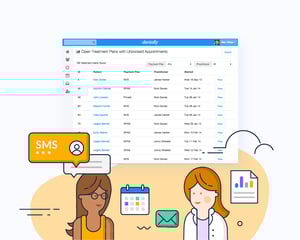 Our latest product update looks at improving SMS, email and letter appointment reminders for patients with more than one appointment in a day.
It is often the case that the patient will have booked two appointments in one visit; for example; a 9.00am check-up with the dentist and a 9.30am scale and polish with the hygienist. We know people can sometimes be time poor - so why send your patient two messages to remind them of the two separate appointments, just because they are seeing two different dental practitioners in one visit?
We know it is likely the patient will only read one of the message (whether it is sent by SMS, email or letter) and miss the other. This can create a problem as the patient may not have time for both appointments as they won’t have realised and thus made other commitments, so you end up with a practitioner sat with nothing to do when they could be seeing someone else in surgery instead!
To prevent this Dentally has developed new functionality to its SMS text, letter and email reminders service which means the one message will show all of the appointments on the same message (and not in multiple messages!) through the preferred contact method for the patient. Each practice can set up their own copy, so it is personalised to them. So for example the message might read…. Mrs Bloggs you have an appointment with Dr Smith at 9.00am and Mrs Jones at 9.30am on Tuesday 22nd January.
This offers the patient one easy to understand message, improves their experience of this touch-point with the practice and also saves your team time and prevents difficult conversations with patients at reception. It will also save you money from sending unnecessary multiple SMS messages to remind a patient that they have two appointments on the same day.
To learn how to set up automatic appointment reminders and confirmations in Dentally, simply read our how to guide here.
If you would like more information about how Dentally can improve your patient relationships through seamless communication, then why not arrange a demo and join the 4,000 dental professionals who work smarter, work remotely and work securely with Dentally, simply visit our website or email us hello@dentally.co
Connect with us on social media
We'd love for you to join our online community. Stay up-to-date with our latest news, events, and content by following us on our social channels. We look forward to seeing you there!


